The home-page FAQ only covers the most common items. Here the list is grouped into download & account, subscriptions & nodes, connection & routing, and rules & pricing, so you can search and jump.
Note: Answers follow official descriptions and hands-on tests. On-screen copy can change with app versions. This site is not affiliated with official Shadowrocket and does not sell nodes or subscriptions.
These questions sit before you install: whether your App Store lists the app, what to do if it does not, and whether switching storefronts touches iCloud. Once that is settled you rarely see them again.
The app is listed only in some countries. If a search with your everyday Apple ID finds nothing, sign into the App Store (not iCloud) with an Apple ID from a listed region. Full steps: download guide.
Often no. If a billing address is required, choose None when you can. You do not need a real overseas address or a second card for that skip path. Buying in a store that already lists the app is simpler.
Yes. Switch back anytime. The installed app keeps working. In-app data (nodes, configs) is not lost when you change Apple ID.
iOS / iPadOS only, iOS 13.0 or later. Android needs another client that speaks the same protocols. The config logic is similar; the UI is not.
This is an iOS security prompt. Every proxy app that forwards traffic has to go through it. It does not mean private data is uploaded. Config stays on the device.
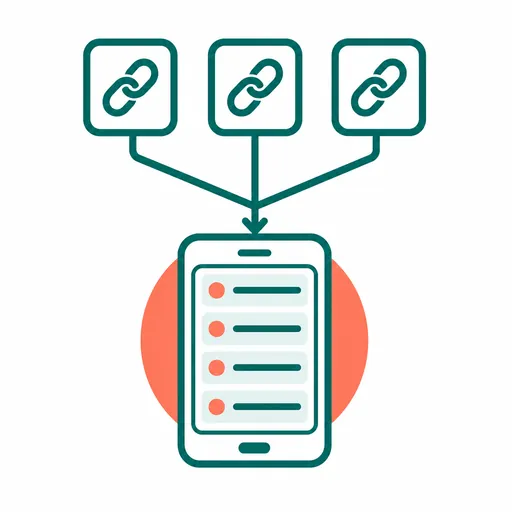
Shadowrocket does not provide nodes. Every node comes from a subscription you add. This section is about using that subscription: empty lists, how many devices, auto-update, and multi-device sync.
No. Shadowrocket is a client: import, display, test, and connect. The node source (your own server or a paid subscription) is something you bring.
Saving a subscription only stores the URL. It has not fetched nodes yet. Open that subscription entry and tap Update so the app can request the URL and fill the list.
That limit comes from the subscription you bought (often 3–5 devices), not from Shadowrocket. The same URL can be added on multiple iOS devices.
Go to Settings → Subscribe, turn on Update On Open and Auto Update in Background. The latter also needs Settings → General → Background App Refresh allowed for Shadowrocket, or it will not run in the background.
Turn on Data → iCloud → Auto Sync, and allow Shadowrocket to use iCloud Drive in system iCloud settings. Note: Scenes and Groups are not included in auto sync.
"Connected" and "traffic actually went through the proxy" are different. Routing mode and the rules file sit in between. This section is about the concepts that get mixed up there.
Configuration splits traffic with the current rules file (recommended day to day). Proxy sends all traffic through the node. Direct sends all traffic without a proxy — a temporary off switch. Scene switches mode and config by the current network (a specific Wi-Fi or cellular); you must set each scene first.
No. Usually the current node timed out. Go back to the node list, pick one with a normal delay, and try again.
"Connected" only means the VPN interface came up. It does not mean traffic went through the proxy. Check global routing, the policy for that site in the rules file, and whether Proxy traffic on the Data page is increasing.
iOS has no native "proxy this app only" API. Shadowrocket approximates it by matching domains and IP ranges those apps or sites usually hit — it does not see which app made the request. Accuracy depends on the rule set.
The rules file decides who uses the proxy and who goes direct. The syntax looks unfamiliar; the logic is simple: match top to bottom, stop on the first hit. This section also covers what the app itself actually costs.
On the Config page, tap Restore Default Configuration to go back to the built-in default.conf, then add custom rules on top again.
DOMAIN-SUFFIX matches a domain suffix. GEOIP matches the IP’s region (US is the United States; CN is mainland China). FINAL is the fallback when nothing else hit, usually the last line. Rules match top to bottom; first hit wins.
The app is a one-time App Store purchase (often about $2.99; the price on the product page wins). No in-app purchase and no app subscription. Nodes or a provider subscription are separate, if you use them.
The default delay test can be inaccurate on some networks. In Settings, switch the delay test method to CONNECT, which is closer to a real handshake. Also, if global routing is Configuration, test traffic may be classified as DIRECT and the number will lie. Temporarily switch to Proxy before testing.
Didn't find your question? See the troubleshooting guide or the subscription guide, or go back to the full tutorial.